
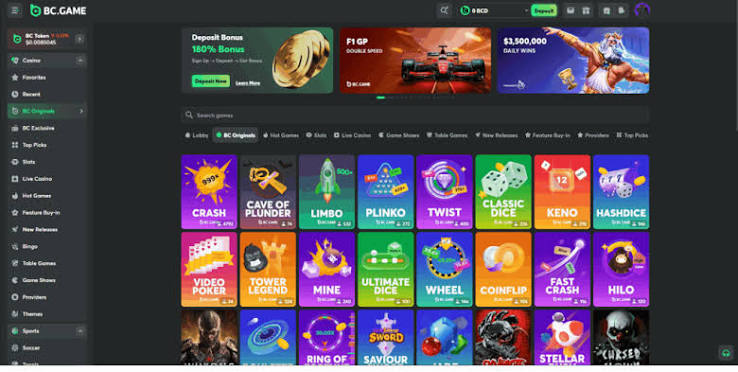
If you are looking to explore one of the most thrilling platforms in the online gaming universe, look no further than Hash.Game Login hash.game login. This article will guide you through the process of logging in to Hash.Game, ensuring a smooth and enjoyable experience as you dive into the games you love.
Understanding Hash.Game
Hash.Game is a revolutionary online gaming platform that integrates blockchain technology, enabling players to enjoy their favorite games while ensuring transparency, security, and complete ownership of in-game assets. Whether you are a casual gamer or a dedicated enthusiast, Hash.Game provides a plethora of gaming options that cater to various preferences.
The Importance of Secure Login
One of the fundamental aspects of any online gaming platform is the login process. A secure login not only protects your account but also ensures that your sensitive information is kept safe. With Hash.Game, you can be assured of a robust login system that safeguards your account from unauthorized access.
How to Create a Hash.Game Account
Before you can dive into the exciting world of Hash.Game, you need to create an account. Here’s a step-by-step guide to get you started:
- Visit the Hash.Game Website: Go to the official Hash.Game website.
- Registration: Click on the ‘Sign Up’ button. You’ll need to provide some basic information, including your email address and a secure password.
- Verify Your Email: After registering, check your email for a verification link. Clicking this link will confirm your email address.
- Complete Your Profile: Once verified, log in to your new account and complete your profile settings.

Logging into Your Hash.Game Account
Once your account is set up, logging into Hash.Game is a straightforward process:
- Access the Login Page: Navigate to the Hash.Game login page.
- Enter Your Credentials: Input the email and password associated with your account.
- Two-Factor Authentication (Optional): If you’ve enabled two-factor authentication, enter the code sent to your authentication method.
- Click ‘Login’: Hit the ‘Login’ button to access your gaming dashboard.
Troubleshooting Login Issues
Sometimes, users may encounter issues while trying to log in. Here are common problems and how to resolve them:
- Forgotten Password: If you can’t remember your password, use the ‘Forgot Password?’ link on the login page. Follow the instructions to reset your password via your registered email.
- Account Locked: After multiple unsuccessful login attempts, your account may get temporarily locked. Wait for a few minutes before trying again or contact customer support.
- Browser Issues: Ensure that your browser is updated. Clearing your cache and cookies can also resolve login issues.
Enhancing Security for Your Account
Security should be a top priority for every online gamer. Here are a few tips to help you enhance the security of your Hash.Game account:
- Use Strong Passwords: Create a complex password that includes a mix of letters, numbers, and symbols.
- Enable Two-Factor Authentication: If available, enable two-factor authentication for an extra layer of security.
- Beware of Phishing Scams: Always log in directly through the Hash.Game website and be wary of unsolicited emails or messages.
Conclusion
Logging into your Hash.Game account unlocks a world of opportunities within the gaming universe. With a secure login process, a variety of games, and a commitment to player security, Hash.Game stands out as an excellent platform for gamers of all levels. By following the steps outlined in this guide, you will be well-equipped to navigate the login process and start your gaming adventure. Remember to keep your login information secure, and enjoy your time in Hash.Game!